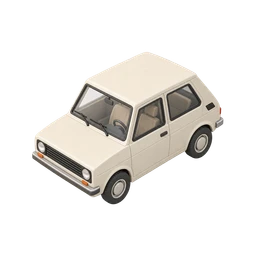
Did I lock the car?
Updated November 3, 2026
Somewhere between the parking lot and the store entrance, you lose the memory. Your hand was in your pocket. You probably pressed the fob. There might have been a chirp, or that might have been someone else's car two rows over.
Plenty of people turn around in the middle of a parking garage and press the lock button again from fifty feet away, just to hear it. If that's you, the reasons are pretty ordinary, and there are easy ways to make the memory stick.
Why you can’t remember
A key fob turns locking into a tiny gesture. You don't turn a key or touch the door; you squeeze a button while walking, talking or looking for your phone. Your attention is on where you're going, so the action never gets stored as a distinct event.
Parking lots are full of the same cues, too. Every car around you chirps and flashes. When you try to remember whether you heard your car, your brain has a dozen nearly identical sounds to choose from, plus every other time you've parked this week. That's a classic recipe for mixing up which memory belongs to right now.
Some cars also behave differently from what you expect. A few will unlock again if you lock them with the key still inside, or won't lock while a door is ajar. Others lock themselves when you walk away, which is convenient but means you never consciously lock them at all. And pressing the fob over and over to reassure yourself has the same downside as any repeated check: it piles up more look-alike memories and leaves you less sure.
How to check right now
- Open your car's app
Many newer cars have a manufacturer app that shows whether the doors are locked and lets you lock them remotely. If your car supports it, this is the quickest answer.
- Press the fob within range
If you're still close, press lock and watch for the lights to flash. Most fobs only work within a limited distance, so walking back partway may be enough.
- Look for specific details
Do you remember something unique about this park, like the car next to you or the spot number? If the memory has today's details attached, it's more likely a real one.
- Check your car's settings later
Find out whether your car has walk-away auto-lock or auto-lock at speed. If it does, and it's switched on, the car locked itself when you left.
How to stop rechecking
- Turn on the lock chirp
Many cars let you enable an audible horn chirp when you lock. A sound you choose to listen for is easier to remember than a quiet click.
- Lock, look, name
Press lock, turn and watch the lights flash, and say "car locked" under your breath. Three seconds of attention gives you a memory you can trust.
- Use walk-away auto-lock if you have it
If your car supports it, switch it on. You'll still want to confirm the first few times, but after that the car takes care of it.
- Keep a quick record
A One Loop simple tap or a photo of the car as you walk away gives you a timestamp to check when you're wondering in the checkout line. It doesn't connect to your car; it records that you confirmed it.
Questions people ask
Do cars lock automatically when you walk away?
Some do. Many newer models offer walk-away auto-lock using a keyless fob, but it's often a setting you have to turn on. Check your owner's manual or the car's settings menu.
How can I check if my car is locked from my phone?
If your car has a connected app from the manufacturer, it will usually show lock status and let you lock remotely. Older cars without connectivity can't do this.
Why do I keep pressing the lock button on my key fob?
Because the first press didn't leave a clear memory. Pressing again feels reassuring for a moment, but it can make you less sure next time; a single press while watching the lights flash works better.
Can my car unlock itself if I leave the key inside?
Some cars refuse to lock, or unlock again, if they detect the key inside. It's a safety feature to stop you locking your keys in, and another reason to keep the fob with you.
Other things people double-check
Checklists that include this

Confirm it once. Stop wondering.
One Loop keeps a timestamped tap, voice note or photo of the things you do on autopilot. Free to try for 7 days.
Download on the App Store