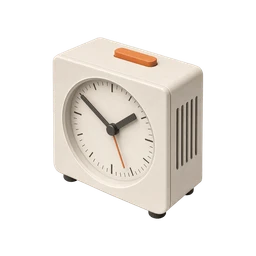
Did I set my alarm?
Updated November 3, 2026
The lights are off, you're nearly asleep, and a small voice asks whether the alarm is set. You think so. You remember holding the phone. But was that tonight, or was that the alarm you set for a nap on Sunday?
Unlike a door or a stove, this one is easy to check without getting up, so the real goal is to stop doing it five times a night. Below are the quick checks that matter and a routine that lets you put the phone down for good.
Why you can’t remember
You usually set an alarm at the tail end of the day, when your brain is tired and already winding down. Tired attention encodes memories poorly. You did the steps, but they barely registered.
Most people also set alarms on autopilot, often the same time every weekday. A recurring alarm means there may be nothing to set at all, and a one-off alarm looks almost identical to the recurring one in your memory. You end up unsure whether you set it, toggled it, or just looked at it.
The anxious re-check is its own trap. Every time you pick up the phone to confirm, you add another nearly identical memory of looking at the alarm screen, and studies on repeated checking show that more checks lead to less confidence. After one clear look, the checking is what keeps you awake.
How to check right now
- Open the Clock app once
Go to the Alarms tab and look for the toggle. Green means on. If it's grey, the alarm exists but won't ring.
- Read AM and PM out loud
Setting 6:30 PM instead of 6:30 AM is the classic mistake. Say the full time out loud while you look at it.
- Check the repeat days
A weekday alarm won't ring on Saturday. If tomorrow is unusual, like an early flight on a weekend, set a separate one-time alarm.
- Check volume and Focus
On iPhone, alarms ring even in silent mode and most Focus modes, but they use the Ringer and Alerts volume. Make sure it isn't turned all the way down.
How to stop rechecking
- Set it at the same moment every night
Tie the alarm to a fixed step, like plugging in the charger. Doing it in the same place at the same point in your routine makes it easier to remember.
- Use a recurring alarm for regular days
If you wake at the same time on workdays, a repeating alarm removes the nightly decision. You only need to think about it on unusual days.
- Add a backup for the big mornings
For flights, exams or early shifts, set a second alarm ten minutes later or use a separate alarm clock. Knowing there's a backup makes the first one easier to trust.
- Put the phone out of reach
A charger across the room means you have to get up to check again. That small barrier stops a lot of late-night rechecks, and it gets you out of bed in the morning.
- Say it once into One Loop
With a Voice Loop in One Loop, you say "alarm set for 6:15" out loud and the app saves the recording with a timestamp. Saying the time aloud is often the step that makes it stick.
Questions people ask
Will my iPhone alarm go off if my phone is on silent?
Yes. iPhone alarms ring with the side switch or Action button set to silent, and through Do Not Disturb. The sound level follows your Ringer and Alerts volume.
Will my alarm go off if my phone dies?
No. A phone that has shut down can't ring, so plug it in overnight or keep a battery-powered alarm clock as a backup.
Why do I keep checking my alarm at night?
Setting an alarm while tired leaves a weak memory, so doubt creeps in. Each re-check adds another similar memory and tends to make the doubt stronger.
How do I make sure I wake up for an early flight?
Set two alarms a few minutes apart, check the AM label, and charge your phone. Some people also ask a friend to call them.
Other things people double-check




Checklists that include this

Confirm it once. Stop wondering.
One Loop keeps a timestamped tap, voice note or photo of the things you do on autopilot. Free to try for 7 days.
Download on the App Store