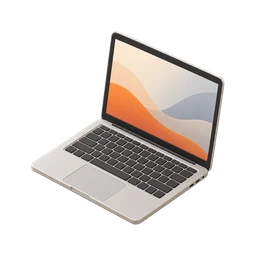
Did I pack my laptop?
Updated November 3, 2026
Your bag feels a bit light on the walk to the train. Is the laptop in there, or is it still open on the kitchen table, where you checked one last email?
For a workday this is an annoyance. Before a flight, a client meeting or a conference talk, it can wreck your plans. Here's how to check in seconds and how to pack so you never have to wonder, charger included.
Why you can’t remember
Laptops tend to get packed at the last second. You close the lid mid-thought, slide it into the bag and grab your coat, all while thinking about the commute or the meeting. That last-minute rush is exactly when attention is thinnest, so the memory hardly forms.
If you carry your laptop most days, you have a long run of identical memories of sliding it into the same sleeve. When you search for today's, you can't tell it apart from yesterday's. And because you often open the laptop again after packing it, to check one more thing, the final state is easy to lose track of.
Bag weight doesn't help as much as you'd think. Modern laptops are light, and a bag with a charger, notebook and water bottle can feel about the same either way. Patting the bag again and again on the walk won't build confidence either. Research on repeated checking shows that doubt grows with each check, which is why a single clear look works better.
How to check right now
- Unzip only the laptop sleeve
You don't need to empty the bag. Open the one compartment where the laptop lives and look.
- Press the bag's back panel
Through most backpacks you can feel a laptop's hard, flat edge against the back panel. A soft, bendy bag means it's probably not there.
- Use Find My
If your laptop is a Mac with Find My turned on, you can see its last known location from your iPhone. Other brands often have a similar feature.
- Ask someone at home
A quick message asking someone to look at the desk or kitchen table saves a trip, and they can bring it or courier it if needed.
How to stop rechecking
- Pack the night before
For important days, pack the laptop and charger the evening before, when you're not rushing. Leave the bag by the door.
- Give it one fixed sleeve
Always use the same compartment. If the laptop has one home in the bag, one glance confirms it.
- Keep a second charger in the bag
A spare charger that never leaves the bag removes half the packing question. You only need to remember the laptop itself.
- Close the lid, then pack it right away
Don't close the laptop and leave it on the table to pack later. Move it straight into the bag so the two steps stay together.
- Photograph it going in with One Loop
Before a trip, a one-time Camera Loop in One Loop records a timestamped photo of the laptop in its sleeve. The Loop archives itself 24 hours after you close it.
Questions people ask
How do I check if my laptop is in my bag without opening it?
Press against the back panel or laptop sleeve to feel for the hard, flat edge. If you're unsure, unzip just that compartment for a quick look.
Can I find my laptop if I left it somewhere?
If it's a Mac with Find My enabled, you can see its location from your iPhone or iCloud.com. Windows laptops have Find My Device if it was turned on beforehand.
What should I do if I forgot my laptop for a business trip?
Ask your IT team about a loaner or remote access, use cloud versions of your files, or have someone ship it overnight if the trip is long.
How do I stop forgetting my laptop charger?
Buy a second charger that stays in your work bag permanently. Then the only thing you need to pack is the laptop.
Other things people double-check



Checklists that include this

Confirm it once. Stop wondering.
One Loop keeps a timestamped tap, voice note or photo of the things you do on autopilot. Free to try for 7 days.
Download on the App Store